
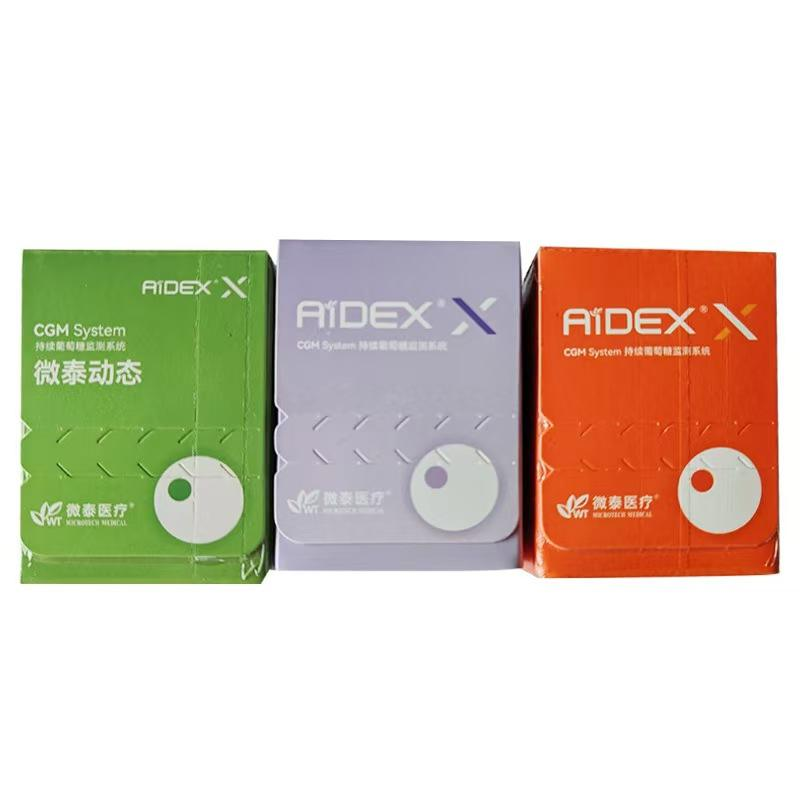
A continuous glucose monitoring (CGM) sensor is designed to remain attached for a defined wear period, but everyday factors such as skin preparation, clothing, moisture and activity can affect how securely it stays in place. This CGM sensor adhesion checklist explains what to review before application and during daily wear. It provides general product information only; always follow the instructions supplied with your specific system.
If you are still comparing systems, browse WongTech’s glucose monitoring products or review the AiDEX Continuous Glucose Monitoring System product page for package and compatibility information.
Why CGM Sensor Adhesion Deserves Attention
A sensor that lifts at the edges may become uncomfortable or may not remain positioned as intended. Adhesion can vary from one person to another because skin condition, climate, movement and the adhesive design all differ. A careful routine can reduce avoidable problems, but it cannot extend a sensor beyond its manufacturer-stated wear period.
Before Application: Check the Product and Instructions
- Confirm the exact model. Sensors, applicators and compatible mobile apps can be system-specific.
- Check the package. Do not use an item if its seal is open, its packaging is damaged or its stated use-by information has passed.
- Read the placement instructions. Approved application areas can differ by brand, model, user age and local product labeling.
- Review storage conditions. Keep the product within the temperature and humidity ranges stated by the manufacturer.
- Prepare the required supplies. Have the sensor, applicator and any manufacturer-permitted skin preparation items ready before starting.
Skin Preparation Checklist
Good adhesion begins with a clean, dry application area. Use only preparation methods allowed by the product instructions.
- Choose an instructed placement area with enough flat skin for the sensor base.
- Avoid areas with cuts, irritation, active skin problems, heavy scarring or repeated friction from waistbands and straps.
- Clean the area according to the manufacturer’s directions.
- Allow the skin to dry completely. Moisture, lotion, oil and sunscreen can reduce adhesive contact.
- If hair removal is permitted and needed, do it carefully and allow any temporary irritation to settle before application.
- Do not apply unapproved creams, sprays or extra adhesive beneath the sensor.
Choosing a Practical Placement Area
The manufacturer instructions determine which body areas may be used. Within those permitted areas, consider daily movement and contact. A location that repeatedly rubs against clothing, a backpack strap or a seat belt may be more likely to catch or lift. Also consider sleeping position and exercise habits.
Do not select a different body area merely because it seems more convenient. If the supplied instructions are unclear, contact the manufacturer or ask a qualified healthcare professional familiar with the specific system.
Immediately After Applying the Sensor
- Check that the adhesive lies flat against the skin without folded edges.
- Follow the required start-up, pairing and warm-up steps for the model.
- Do not press, rotate or reposition the inserted sensor unless the instructions specifically direct you to do so.
- Note the application date and the stated replacement date.
- Keep the packaging or model information available in case support is needed.
Daily Wear: What to Check
A short visual check can help you notice changes early. Look for lifting edges, damaged adhesive, unusual movement or skin discomfort. Keep clothing from repeatedly catching the sensor. Follow the manufacturer guidance for showering, swimming, exercise and exposure to heat or moisture.
Do not cover the sensor with an improvised material that blocks ventilation, interferes with communication or makes inspection difficult. If you use an overpatch or protective cover, first confirm that it is compatible with the sensor model and permitted by the manufacturer.
Overpatch and Cover Compatibility
Not every patch fits every transmitter or sensor. Before buying an accessory, compare:
- the sensor brand, generation and dimensions;
- the opening shape and whether the patch covers the transmitter;
- the adhesive material and any known skin sensitivities;
- the expected wear period and water-resistance guidance;
- removal instructions and whether residue may remain;
- whether the sensor manufacturer permits the accessory.
An overpatch is an accessory, not a way to reuse or extend an expired sensor.
When to Stop and Seek Guidance
Follow the product instructions if the sensor becomes loose, detaches, is struck, displays repeated errors or appears damaged. Do not attempt to reinsert a detached sensor. If you notice significant redness, swelling, pain, blistering or another concerning skin reaction, stop relying on general online guidance and contact an appropriate healthcare professional.
If a reading does not match how you feel or conflicts with another instructed check, follow the system’s official guidance. Product readings and alerts should be interpreted according to the manufacturer instructions and advice from a qualified professional.
Quick CGM Daily Wear Checklist
- The sensor model and app remain compatible.
- The adhesive is flat and secure.
- The application area is comfortable and free from concerning irritation.
- Clothing and equipment are not rubbing against the sensor.
- Water and activity exposure remain within the stated limits.
- The sensor is still within its specified wear period.
- Any overpatch or cover is approved or confirmed compatible.
Frequently Asked Questions
Can I use any adhesive patch over a CGM sensor?
No. Check the patch dimensions, material and sensor-model compatibility. Follow the CGM manufacturer’s instructions because some covers may interfere with inspection, fit or communication.
Can I put lotion on the skin before applying a sensor?
Lotions and oils can reduce adhesion. Prepare the site exactly as directed and make sure the skin is completely dry before application.
Can a detached CGM sensor be reinserted?
Do not attempt to reinsert a detached sensor. Follow the replacement and support process provided by the manufacturer.
Does an overpatch extend the sensor wear period?
No. A patch may help protect the edges, but it does not change the sensor’s stated replacement date or approved wear duration.
What should I do if the application area becomes irritated?
Review the manufacturer’s removal and skin-safety guidance. For significant or persistent reactions, contact a qualified healthcare professional.
Final Review Before Ordering
Before purchasing a CGM system or accessory, verify the exact model, package contents, app and phone compatibility, instructed placement areas, wear duration and shipping requirements. WongTech’s glucose monitoring compatibility checklist provides a broader pre-order review. You can also read our shipping information and return and refund policy before ordering.
Suggested image alt text: ?CGM sensor adhesion and daily wear checklist.?
This article provides general product information and does not replace manufacturer instructions or professional medical advice.