
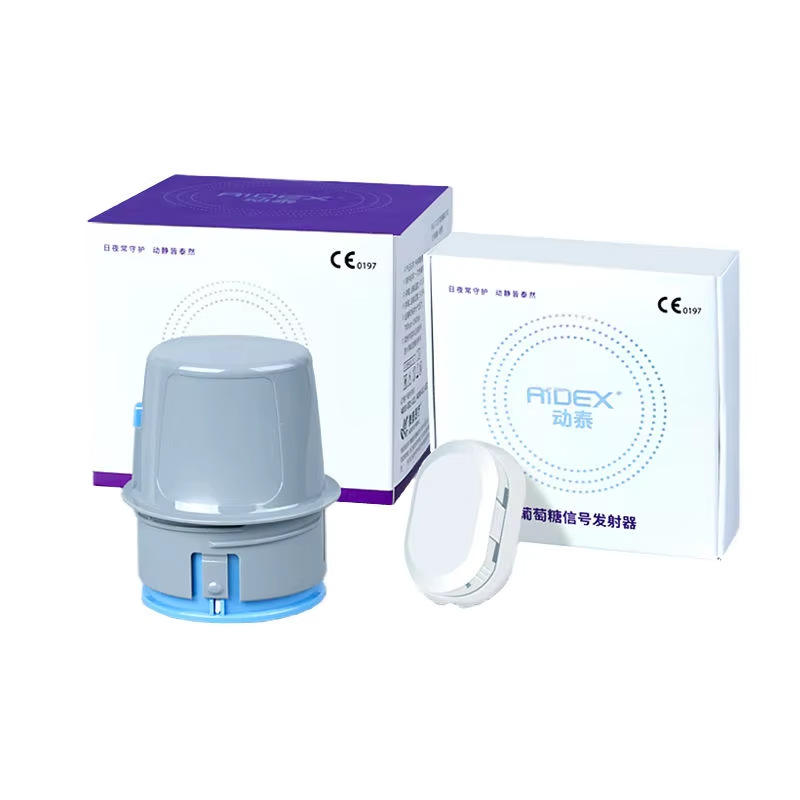
Blood glucose test strips are designed for specific meter models. A strip that looks similar, carries the same brand name or fits into a slot does not automatically work with a different meter. Use this blood glucose test strip compatibility checklist to confirm the exact match before opening a package or placing a repeat order.
This guide provides general product and purchasing information only. Follow the current instructions for your exact meter and strips. It does not interpret readings or replace advice from a qualified healthcare professional.
Start With the Exact Meter Model
Find the complete meter name, model number and generation on the device, box or manual. Do not rely on a broad brand name alone: one manufacturer may sell several meter families with different strip references.
Next, check the strip package and instructions for the compatible meter models. The model reference should match exactly. If the listing does not name your meter, ask the seller or manufacturer to confirm compatibility before buying.
Blood Glucose Test Strip Compatibility Checklist
- Meter model: Record the full model name and reference number.
- Strip reference: Compare the exact product code or family named in the meter instructions.
- Generation: Check whether the meter has a newer or older version that uses a different strip.
- Coding or setup: Confirm whether the meter requires a code, chip, key or setup step for that strip lot.
- Package condition: Check that the container or foil pouch is sealed and undamaged.
- Expiration: Review the printed expiry date and any after-opening period in the instructions.
- Storage: Follow the stated temperature, moisture and container-closing requirements.
- Region and labeling: Check language, model references and package information for your market.
Why Similar-Looking Strips May Not Be Interchangeable
Test strips may differ in their electrical design, coding requirements, sample instructions, packaging and the meter software that reads them. Appearance and brand family are not sufficient evidence of compatibility. Do not force a strip into a meter or use it if the device displays an error or the package instructions do not identify the model.
Compatibility is determined by the meter and strip documentation for the exact product generation. If a strip reference is absent or unclear, pause and confirm it with the manufacturer or seller.
Check the Instructions for Coding and Lot Setup
Some meter designs may require a code or other setup step for a particular strip type or lot; others may not. The process is model-specific. Follow the meter manual and strip package instructions, and do not reuse a code from another lot unless the manufacturer says it is correct for that system.
For a broader explanation of coded and no-coding meter features, see our no-coding vs coded blood glucose meter checklist.
Check Expiration, Opening Date and Storage
Before use, check both the printed expiration date and any time limit that begins when a container is first opened. These are separate dates. Write the opening date on the container if the instructions recommend it, and keep the lid closed between uses to protect the strips from moisture and air.
Do not transfer strips to another container unless the manufacturer explicitly permits it. Store them within the conditions printed on the label. If the package is damaged, wet, left outside its stated storage range or past its expiry, follow the manufacturer instructions rather than guessing whether it remains suitable.
Read our blood glucose test strip storage and expiration guide for more detail.
What to Do When the Meter Rejects a Strip
- Stop and read the exact error message in the meter manual.
- Check that the strip reference is listed for your meter model.
- Confirm the strip is inserted in the direction and way described by the instructions.
- Inspect the package for damage, moisture exposure and expiration information.
- Review any required coding or lot setup step for that meter.
- Use only the troubleshooting steps documented by the manufacturer.
Do not keep testing with a strip the meter rejects, and do not alter the strip or device. If the error continues, contact the manufacturer or seller for model-specific help.
Compatibility Is Different From Control Solution Checks
A meter control solution is used according to the manufacturer’s instructions to check system operation. It is not a substitute for compatible strips, and a control solution should match the meter and strip system specified by its manufacturer. See our control solution compatibility checklist.
Questions to Ask Before Ordering Strips Online
- Which exact meter model numbers does this strip reference support?
- Is the product a single vial, a multi-vial package or another configuration?
- What is the expiration date or remaining shelf life of the shipped batch?
- What storage conditions apply during shipping and after delivery?
- Does my meter require coding or a lot-specific setup step?
- Are the package instructions available in a language I can use?
For meter and accessory options, browse the Glucose Monitoring category and review the Bluetooth Blood Glucose Monitoring System listing. Confirm its compatible strip reference in the current package information before ordering strips.
Frequently Asked Questions
Can I use test strips from another brand with my meter?
Only if the manufacturer identifies that exact strip reference as compatible with your exact meter model. Do not assume compatibility based on appearance or brand.
Will a strip fit if it slides into the meter?
Physical fit does not prove that the strip is compatible. Check the model reference in the meter and strip instructions.
Can I use expired test strips?
Follow the product instructions and do not use strips past the stated expiry or opening limit. Contact the manufacturer if the dates or package condition are unclear.
Do all meters require a code for new strips?
No. Requirements vary by meter model and strip system. Check the manual for the exact device and lot.
Can control solution confirm that any strip works in my meter?
No. Control solution instructions apply to the specified meter and strip system; they do not establish cross-model compatibility.
What should I do if my meter displays a strip error?
Stop and follow the troubleshooting instructions for that error. Check model compatibility, strip condition and any setup requirements. Contact product support if it continues.
Quick Buying Checklist
- Full meter model and generation recorded
- Exact compatible strip reference confirmed
- Coding or lot setup instructions checked
- Expiration and after-opening periods reviewed
- Storage and shipping conditions understood
- Package quantity and condition verified
- Seller or manufacturer contact available for questions
Use the exact meter and strip instructions as the final reference. Product pages and photos can help identify a product, but they do not replace model-specific documentation.
Target keyword: blood glucose test strip compatibility with meter
Suggested image alt text: Blood glucose meter and test strip compatibility checklist for matching model references.