
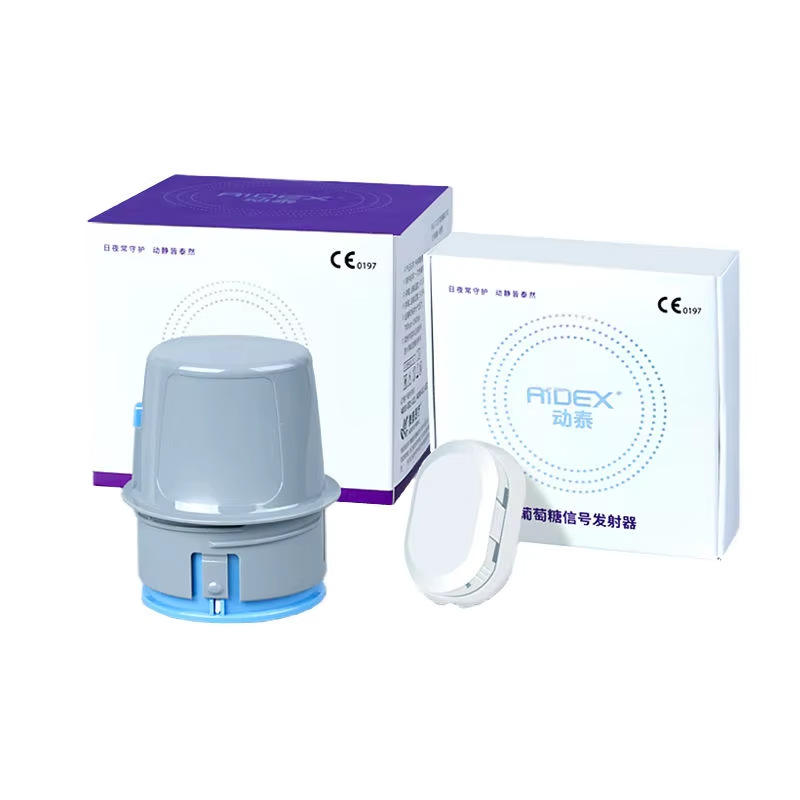
Control solution is a model-specific accessory used according to a blood glucose meter manufacturer’s instructions to check how the meter and compatible test strips operate together. It is not a substitute for a blood sample and does not indicate a person’s glucose level. This blood glucose meter control solution compatibility checklist explains what to verify before ordering or performing a control check.
Always follow the current instructions supplied with the exact meter, test strips and control solution. This article provides general product information only.
Why “Universal” Control Solution Claims Need Careful Review
Control solutions can have different formulations and concentration levels. A bottle that appears suitable for one brand or meter may not be validated for another. Use only the solution explicitly identified by the manufacturer for the exact meter and strip combination.
- Match the meter brand and complete model number.
- Match the exact test strip name and generation.
- Check the approved control solution name and level.
- Confirm regional or model-specific instructions.
- Avoid relying only on connector, bottle or packaging appearance.
Identify All Three Components
| Component | Information to record |
|---|---|
| Meter | Brand, model, generation, unit and regional version |
| Test strips | Exact name, reference number, lot and expiration information |
| Control solution | Exact product name, level, lot, expiration and open-bottle limit |
Compatibility must apply to the complete combination. A solution approved for one strip family is not automatically suitable for another strip used by the same brand.
Check the Required Control Solution Level
Some systems offer one control solution, while others provide low, normal or high levels. The meter or strip instructions should identify which level is required and how its printed range should be used. Do not assume that “normal” refers to a personal health target; it is a product-specific control level.
Find the Printed Control Range
The acceptable control range is commonly printed on the test strip vial or carton and may vary by strip lot and control-solution level. Use the range specified for the exact strips being checked. Do not compare a control result with a personal glucose target or with a range printed on an unrelated strip container.
- Confirm the strip lot matches the container being referenced.
- Read the correct row for the control-solution level.
- Check that units are displayed as stated in the instructions.
- Keep the strip vial available until all strips from it are used or discarded.
Expiration and Open-Bottle Dates
Check the printed expiration date before use. Many liquid products also have a shorter use period after first opening. If the instructions require it, write the opening date or calculated discard date on the bottle without covering the lot number or label.
Use the earlier of the printed expiration date and any stated open-bottle limit. Do not use a bottle when its date or storage history is uncertain.
Storage Checklist
- Keep the cap tightly closed when not in use.
- Store within the manufacturer’s stated temperature and humidity range.
- Protect from direct sunlight, contamination and temperature extremes.
- Do not freeze or refrigerate unless explicitly instructed.
- Keep the dropper tip from touching strips, fingers or surfaces.
- Store separately from household liquids to prevent confusion.
- Keep out of reach of children and pets.
Review our test strip storage and expiration guide for related strip-handling information.
When a Control Check May Be Requested
The manufacturer instructions may recommend a control check when opening a new strip container, after unusual storage, when the meter or strips may have been damaged, after cleaning the meter, or when learning the procedure. Follow the exact product instructions rather than applying a schedule from another model.
General Preparation Checklist
- Wash and dry hands as directed.
- Confirm the meter, strips and solution are compatible.
- Check all expiration and open-container limits.
- Allow components to reach any required operating range.
- Review how the meter identifies a control test.
- Locate the correct printed control range.
- Follow the specified mixing or first-drop instructions, if any.
- Keep the dropper tip clean and avoid contact with surfaces.
- Record the result only as directed by the meter instructions.
This is a preparation overview, not a substitute for the step-by-step procedure supplied with the products.
If the Result Falls Outside the Printed Range
Do not interpret an out-of-range control result as a personal glucose result. Review the manufacturer’s troubleshooting procedure. Possible product-related checks may include compatibility, dates, storage, strip-vial closure, control level, technique and meter condition.
Do not continue relying on questionable supplies until the issue has been resolved according to official guidance. Contact the manufacturer or seller with the exact models, lot numbers and observed information if necessary.
Before-Ordering Questions
- Is this exact solution approved for my meter and strips?
- Which control level is supplied?
- What volume and number of bottles are included?
- What are the printed and open-bottle limits?
- What storage conditions apply during shipping and after delivery?
- Where is the correct acceptable range printed?
- Does the package include current English instructions?
- Can the seller provide lot and expiration information where appropriate?
Common Mistakes to Avoid
- Buying by brand name without checking the exact meter and strips
- Using a generic solution without manufacturer confirmation
- Comparing the result with a personal glucose target
- Using the range from a different strip lot or container
- Ignoring the open-bottle discard period
- Touching the dropper tip to the strip or another surface
- Returning excess solution to the bottle
- Using products stored outside their stated range
Frequently Asked Questions
Can one control solution work with every glucose meter?
No. Use only a solution identified by the manufacturer as compatible with the exact meter and test strips.
Is control solution the same as a blood sample?
No. It is a product-specific liquid used for an equipment and strip check according to the manufacturer instructions.
Where do I find the acceptable control range?
It may be printed on the test strip vial or carton. Use the range for the exact strip lot and solution level.
Can I use control solution after its printed expiration date?
Follow the manufacturer’s expiration and open-bottle limits. Use the earlier applicable date.
Does an out-of-range control result mean the meter is broken?
Not necessarily. Follow the official troubleshooting sequence, which may include checking compatibility, dates, storage, technique and supplies.
Can control solution be refrigerated?
Only if the manufacturer explicitly permits it. Avoid freezing and condensation and follow the stated storage range.
Final Compatibility Checklist
- Exact meter model confirmed
- Exact strip model and lot identified
- Approved control solution and level confirmed
- Correct printed range located
- Expiration and open-bottle dates checked
- Storage history within stated limits
- Official instructions available
- Troubleshooting and support route understood
Explore WongTech’s Glucose Monitoring category and review the Bluetooth Blood Glucose Monitoring System. For a wider pre-purchase review, use our Glucose Monitoring Product Compatibility Checklist. Also read the Shipping Information and Return & Refund Policy.
Target keyword: blood glucose meter control solution compatibility.
Suggested image alt text: “Blood glucose meter control solution compatibility checklist.”
This article provides general product information and does not replace manufacturer instructions or professional medical advice.