
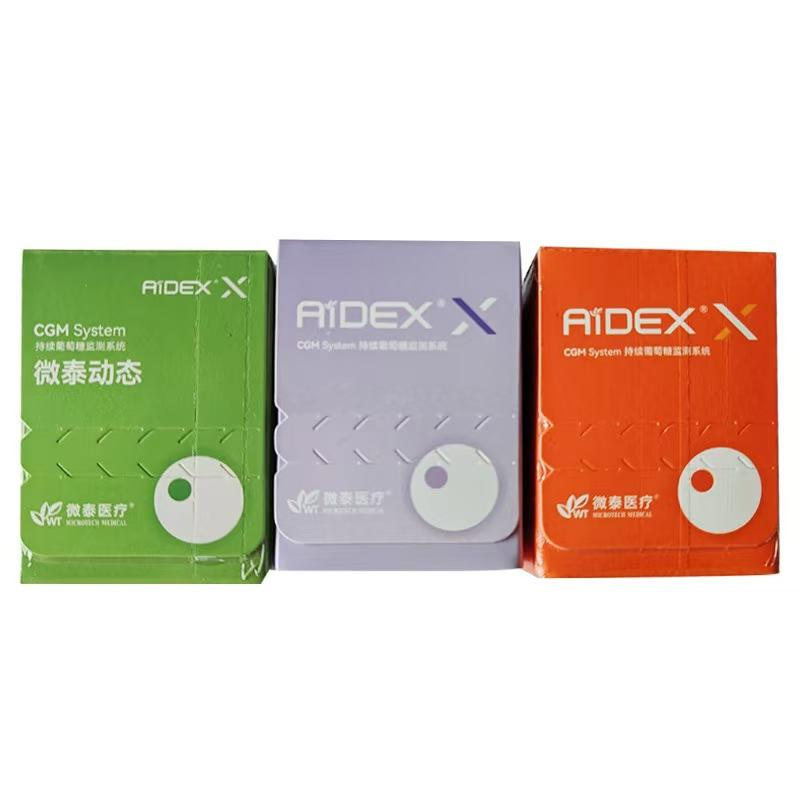
Before opening a continuous glucose monitoring (CGM) shipment, take a few minutes to compare the package label with the exact product and variant you ordered. This CGM sensor package label checklist is designed to help shoppers document what arrived and identify questions for the seller or manufacturer. It is product-information guidance only; follow the current instructions supplied with the exact system.
Why Check the Label Before Opening?
Online listings can show a complete system even when the selected option contains only a sensor pack or another component. Product names may also include several generations, regional versions or package sizes. Checking the outer carton and sealed retail package before opening helps you compare the delivered item with the order record while keeping the packaging available if clarification is needed.
A label check does not establish product authenticity, regulatory status, compatibility or suitability. Use the manufacturer’s documentation and written confirmation from the seller for those questions.
1. Match the Product Name and Model
Record the full product name printed on the package, including any model number, generation, suffix or regional designation. Compare it with the order confirmation and the product listing’s selected variant. Do not identify a CGM sensor only by brand name, package color or a photo.
- Full product and model name
- Model, reference or catalogue number, if shown
- Generation or version
- Intended region or language information, if stated
If any of these differ from the order details, pause and ask the seller to confirm the exact variant before opening or activating the item.
2. Confirm the Quantity and Written Package Contents
Check how many sensors and applicators are stated on the label and compare that with the selected listing option. Review the written contents list for any separately sold transmitter, receiver, charger, cable or other accessory. A product photo may include items that are not part of the selected package, so rely on the written package description rather than the image alone.
Keep the order confirmation and a copy of the listing as they appeared when you purchased. These records make it easier to resolve a difference between the listing and the package.
3. Locate Lot and Date Markings
Look for a lot, batch or serial identifier and any manufacture, expiration, use-by or other date marking that appears on the package. The exact terms and locations vary by manufacturer. Do not assume that a date format or code has the same meaning across brands; consult the product documentation or ask the manufacturer when it is unclear.
Check that the marking is legible and consistent across the carton and inner package where applicable. If a date is missing, unreadable, altered or inconsistent, preserve the package and ask the seller or manufacturer for written clarification before use.
4. Review the Package Condition and Storage Notes
Before opening, inspect the shipping carton and retail package for visible damage, moisture, punctures, broken seals or signs that the package may have been opened. Read any storage, handling or temperature statements printed on the package and compare them with the manufacturer’s current instructions. Storage conditions are model-specific; do not substitute general online advice for the exact product directions.
If the package is damaged or the shipment appears to have been exposed to conditions addressed by the manufacturer’s instructions, photograph the condition and contact the seller for guidance. Do not rely on appearance alone to determine whether a product is usable.
5. Verify Compatibility Separately
A correct package label does not by itself confirm that a sensor works with a particular transmitter, receiver, phone, app or account region. Check each component against the manufacturer’s compatibility information before ordering or pairing. See our CGM sensor and transmitter compatibility checklist and receiver vs. smartphone app checklist.
For a product-specific example, review the listed details for the iCan i3 CGM system. Confirm the actual selected variant and written package contents on its product page before purchase.
6. Keep a Simple Delivery Record
Before discarding shipping materials, keep a short record containing the order number, delivery date, product/model name, package quantity, lot or batch code and any date marking. You may take clear photos of the unopened package label and any visible damage for customer-support correspondence. Avoid sharing personal order or address information publicly.
If anything does not match, contact the seller with the order number and relevant label details. Keep the product unopened while the discrepancy is being reviewed, and follow the seller’s stated return process. For questions about interpreting a code or using the device, consult the manufacturer’s instructions or support channel.
Quick Checklist
- Product name, model and generation match the order
- Selected variant and quantity match the written package contents
- Lot or batch identifier and date markings are present and legible where applicable
- Package seals and outer packaging show no unexplained damage
- Storage and handling statements have been checked against the exact manual
- Sensor, transmitter, receiver, app and region compatibility are confirmed separately
- Order record and label details are saved in case support is needed
For more pre-purchase checks, see the CGM starter kit vs. replacement sensor package checklist and browse WongTech’s Product Guides.
Frequently Asked Questions
Should I open the package before checking the model and dates?
It is useful to compare the unopened package with your order first and retain the packaging. Follow the seller’s return terms and the manufacturer’s instructions for the exact product.
Does a lot code tell me whether a CGM sensor is compatible?
No. A lot or batch code identifies a production batch; compatibility depends on the exact models and system requirements stated by the manufacturer.
Can I interpret an unfamiliar expiration-date format myself?
Do not guess. Date formats and labeling conventions may vary. Ask the seller or manufacturer to clarify the marking for that specific product.
What if the package label differs from the product listing?
Keep the item unopened, save the order record and package photos, and contact the seller for written confirmation before use or activation.
Does an intact seal prove the product is authentic or approved?
No. Packaging condition alone cannot verify authenticity, regulatory status or suitability. Use the manufacturer’s documentation and appropriate official records for those checks.
This article is general product information, not medical advice. Always follow the current manufacturer instructions for the exact CGM system. For decisions about glucose monitoring or health, consult a qualified healthcare professional.