
A continuous glucose monitoring system may display information on a dedicated receiver, a compatible smartphone app or both. These options are not interchangeable in every system, and the correct choice depends on the exact sensor generation, phone, app region and pairing rules. This CGM receiver vs smartphone app checklist explains what to confirm before ordering.
This article provides general product information only. Follow the current manufacturer instructions for the exact CGM system and seek qualified professional guidance where appropriate.
Confirm Which Display Options the Sensor Supports
Start with the complete sensor and transmitter model. Ask whether the system supports a receiver, phone app or both, and whether both can be connected during the same sensor session.
- Exact sensor generation
- Separate or integrated transmitter model
- Compatible receiver model
- Official app name and developer
- Supported phone and operating-system versions
- Permitted pairing order and number of display devices
Use WongTech’s CGM Sensor and Transmitter Compatibility Checklist to review the full system.
Dedicated CGM Receiver: What to Compare
A dedicated receiver is designed for a specific CGM system, but compatibility can still vary by generation and software version.
| Receiver feature | Question to verify |
|---|---|
| Sensor compatibility | Which exact sensors and transmitters are supported? |
| Battery | How is it charged, how long is stated runtime, and is the cable included? |
| Display | Are unit, trend, status and alerts clearly visible? |
| Storage | How much history is stored and what happens when memory is full? |
| Data transfer | Can reports be exported, and is a cable, account or computer required? |
| Updates | Can receiver software be updated, and by whom? |
Smartphone App: What to Compare
A phone app may provide convenient connectivity and reporting, but it depends on supported hardware and software.
- Official phone compatibility list
- Minimum and maximum operating-system versions
- App availability in the user’s regional app store
- Bluetooth and notification permissions
- Internet requirements for sign-in, activation or synchronization
- Battery-saving settings that may affect background operation
- Data account, privacy and export options
- Behavior during calls, updates, restarts or low battery
Can a Receiver and App Work Together?
Some systems support simultaneous receiver and phone use, while others allow only one display device or require a specific pairing sequence. Confirm this before activating a sensor. Switching devices during an active session may require official steps and can affect data continuity.
Do not reset, unpair or delete an account until you understand whether the active sensor session or stored records could be affected.
Phone Compatibility Is More Than Bluetooth
Bluetooth capability alone is insufficient. The app may support only selected phone models, processors, operating-system versions or regional accounts. A phone update can also change compatibility.
Read our Bluetooth Blood Glucose Meter Phone Compatibility Checklist for additional mobile-device questions that also apply to connected health products.
Battery and Charging Considerations
Compare the complete power setup. A receiver needs its approved cable and charging source; a phone also powers calls, apps and other services. Ask how low power is indicated and what functions remain available.
- Charging connector and cable included
- Stated receiver runtime and charging time
- Phone battery requirements for background monitoring
- Approved power-bank use during travel
- Whether the receiver can operate while charging
- Battery replacement or service policy
Alerts, Sound and Notification Settings
Alert options differ across receivers, phone models and app versions. Verify which alerts the system supports, whether volume can be changed, and how silent, focus, battery-saving or do-not-disturb settings affect notifications. Do not assume that phone system settings behave the same as a dedicated receiver.
Follow the manufacturer instructions for alert setup and testing. Product settings should not be changed based only on generic online advice.
Data Storage and Export
Determine where data is stored and how it can be reviewed or exported.
- History stored on the receiver or phone
- Cloud-account requirement
- Internet connection required for synchronization
- PDF, CSV or other report formats
- Measurement units in exported reports
- Sharing permissions and account security
- Data behavior when replacing the phone or receiver
Check our mg/dL vs mmol/L Unit Compatibility Guide when reviewing display and report units.
Travel and Backup Planning
A receiver may avoid dependence on phone roaming or app-store access, while a phone may be easier to charge and replace. The correct preparation depends on the system.
- Confirm airline and security guidance for the exact CGM.
- Carry approved chargers and cables.
- Keep instructions and support information available offline.
- Check app availability and account access at the destination.
- Understand whether a backup display can be paired during an active session.
- Follow the official backup monitoring procedure.
See Traveling With a CGM: Airport, Storage and Packing Checklist.
Package Contents to Confirm
Product images may show a receiver and phone even when neither is included. Compare the written contents list.
- Sensor quantity
- Applicator included with each sensor
- Separate transmitter included or required
- Receiver included or sold separately
- Charging cable and adapter included
- Official app name and download requirements
- English-language manual
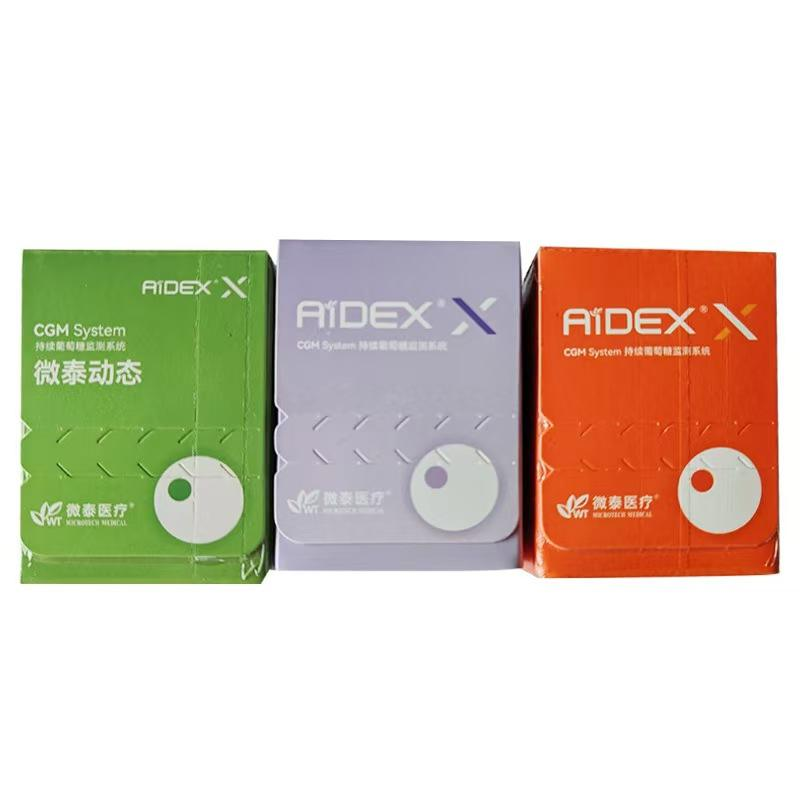
Review the listed contents for the AiDEX Continuous Glucose Monitoring System – Second Generation.
Questions to Ask Before Ordering
- Which exact receiver model supports this sensor?
- Which phones and operating systems support the official app?
- Is the app available in my country’s app store?
- Can the receiver and phone operate simultaneously?
- What pairing order is required?
- Are alerts and units configurable on both displays?
- How are data and reports exported?
- What charging accessories are included?
- What happens if the phone or receiver is replaced?
- What support is available in the destination region?
Frequently Asked Questions
Does every CGM work with both a receiver and a phone?
No. Display options depend on the exact sensor, transmitter, generation and regional product configuration.
Can I connect two phones to one CGM sensor?
Do not assume this is supported. Check the manufacturer’s pairing limits and instructions.
Will any Bluetooth phone run the CGM app?
No. The phone model, operating system, app version and region must be supported.
Does a dedicated receiver need internet access?
This varies. Basic display may differ from account synchronization, software updates or report transfer. Check the exact receiver instructions.
Can I switch from a receiver to a phone during an active sensor session?
Only follow the manufacturer’s documented procedure. Switching may affect pairing or data continuity.
Is a receiver included when it appears in product photos?
Not necessarily. Use the written package-content list and confirm before ordering.
Final Compatibility Checklist
- Exact sensor and transmitter generation confirmed
- Compatible receiver model identified
- Phone and operating-system support verified
- Official app available in the correct region
- Pairing order and simultaneous-use rules understood
- Battery and charging requirements reviewed
- Alert behavior checked
- Data storage, export and privacy requirements reviewed
- Package contents confirmed in writing
- Travel and backup procedures available
Browse WongTech’s Glucose Monitoring category and read How to Use AiDEX 2 CGM for setup-related product information. Before ordering, review the Shipping Information and Return & Refund Policy.
Target keyword: CGM receiver vs smartphone app.
Suggested image alt text: “CGM receiver vs smartphone app compatibility checklist.”
This article provides general product information and does not replace manufacturer instructions or professional medical advice.