
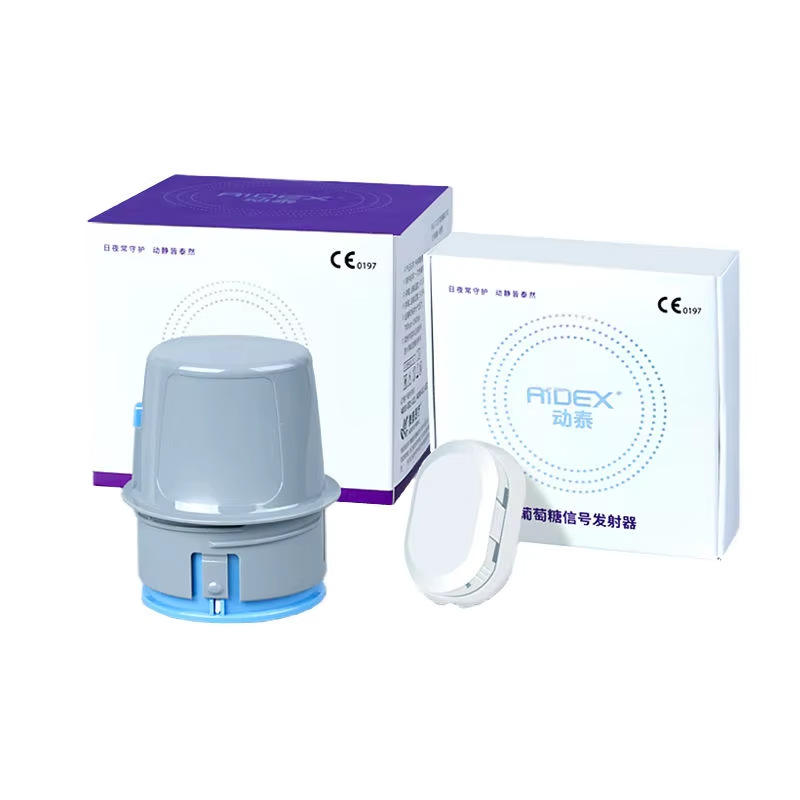
Blood glucose meters may display results in milligrams per deciliter (mg/dL) or millimoles per liter (mmol/L). The unit commonly used differs by country, and some meters have a fixed unit that cannot be changed. This mg/dL vs mmol/L blood glucose meter compatibility guide explains what international buyers should verify before ordering.
This article covers product settings and compatibility only. It does not interpret readings or provide medical decisions. Always follow the exact meter instructions and guidance from a qualified healthcare professional.
What Are mg/dL and mmol/L?
mg/dL and mmol/L are two units used to display glucose concentration. A meter may use one unit exclusively, offer a manufacturer-controlled regional version, or allow selection according to its instructions. Because the numbers appear on very different scales, identifying the displayed unit is essential when reviewing a device or app.
Do not assume a unit from the number alone. Confirm the unit symbol on the meter screen, packaging, manual and product specification.
Why Unit Compatibility Matters Before Purchase
- Your healthcare records or local guidance may use one specific unit.
- A fixed-unit meter purchased from another region may not match local expectations.
- The companion app and meter may need to use the same unit.
- Exported reports may display a different unit from the meter screen.
- Family members or professionals reviewing data could misread an unlabelled value.
- Changing region, language or phone settings may not change the physical meter unit.
Is the Unit Fixed or Selectable?
Ask for written confirmation for the exact model and regional version. Avoid relying on a photo from a different listing or generation.
| Product type | What to check |
|---|---|
| Fixed-unit meter | Confirm whether it is the mg/dL or mmol/L version before ordering. |
| Selectable-unit meter | Confirm that the manual permits user selection and explains the process. |
| App-connected meter | Verify how the meter, app and exported reports coordinate units. |
| Regional model | Check model suffix, packaging language and intended sales region. |
| Replacement meter | Do not assume the new generation uses the same unit settings as the old one. |
Questions to Ask the Seller
- What is the complete model number and regional version?
- Does the meter display mg/dL, mmol/L or selectable units?
- If selectable, where is the official setting procedure documented?
- Is the unit shown clearly on every result screen?
- Does the package include an English-language manual?
- Does the companion app support the same unit?
- What unit appears in PDF, CSV or shared reports?
- Can a firmware or app update affect unit display?
- Are the included test strips compatible with this exact meter version?
Check the Meter Display and Manual
A product photo should show the unit beside a sample result, but promotional images are not always model-specific. Request or review the current instruction manual. Confirm that the unit symbol is legible and that any setting menu is documented.
Do not attempt to access hidden service menus or use unofficial instructions to change a fixed unit. Unapproved changes can create confusion and may affect normal device operation or support.
Verify App and Phone Settings
A Bluetooth meter can transfer data to an app, but phone language, region and app-account settings may influence how information is displayed. Before purchase, verify:
- the official app name and developer;
- availability in your country’s app store;
- supported phone and operating-system versions;
- whether the app reads the unit from the meter or applies an account setting;
- whether unit changes affect historical records;
- the unit used in exported or shared files.
Use WongTech’s Bluetooth Blood Glucose Meter Phone Compatibility Checklist for a broader review.
Do Not Confuse Unit Selection With Result Interpretation
Selecting the correct display unit is a product-configuration task. Understanding what a reading means is a separate health question. Follow the meter instructions and the plan provided by an appropriate healthcare professional. If a result seems inconsistent with how you feel, use the manufacturer’s verification guidance and seek qualified assistance where appropriate.
Test Strip Compatibility Is Still Model-Specific
The display unit does not determine which strips fit the meter. Match the exact strip name, reference number, coding method and meter generation separately. A strip sold in an mg/dL market is not automatically compatible with every mg/dL meter.
Also check storage and expiration guidance in How to Store Blood Glucose Test Strips and Check Their Expiration.
When Traveling or Moving Countries
- Keep the meter manual and unit information available.
- Confirm that compatible strips are available at the destination.
- Label handwritten records with the unit.
- Check whether local professionals and reports use a different unit.
- Verify that replacement meters sold locally match the intended unit.
- Do not change device settings without following the official instructions.
Unboxing Checklist
- Compare the received model number with the order.
- Check the unit stated on the packaging and manual.
- Power on the meter and identify the unit symbol without recording personal data.
- Install only the official app if applicable.
- Confirm the app and meter display the intended unit.
- Check the included strips and accessories against the package list.
- Contact the seller before use if the model or unit differs from the listing.
Frequently Asked Questions
Can every glucose meter switch between mg/dL and mmol/L?
No. Many meters are fixed to one unit or supplied in regional versions. Confirm the exact model before ordering.
Will changing my phone region change the meter unit?
Not necessarily. The physical meter may have a fixed unit, while the app may use separate settings. Follow the official instructions for both.
Is the unit printed on the meter screen?
It should be visible with results according to the product design, but verify the exact model’s display and manual before purchase.
Can I use an online conversion instead of buying the correct unit version?
For safe, clear record review, select a product whose supported display and reporting format fit the intended use. Medical interpretation should follow qualified professional guidance.
Does mg/dL or mmol/L affect test strip compatibility?
Strip compatibility is determined by the exact meter and strip specifications, not simply by the displayed unit.
What if the delivered meter has the wrong unit?
Do not rely on unofficial setting methods. Keep the packaging intact where possible, document the model and contact the seller regarding the stated return process.
Final Pre-Order Checklist
- Exact model and regional version confirmed
- mg/dL, mmol/L or selectable-unit status documented
- Official setting procedure available if selection is permitted
- App and export-report units verified
- Compatible strips and supplies confirmed
- English manual and package contents reviewed
- Destination-country use and replacement availability considered
- Shipping and return conditions reviewed
Compare WongTech’s Bluetooth Blood Glucose Monitoring System and other glucose monitoring products. You can also use our Glucose Monitoring Product Compatibility Checklist and review the Shipping Information and Return & Refund Policy.
Target keyword: mg/dL vs mmol/L blood glucose meter.
Suggested image alt text: “mg/dL vs mmol/L blood glucose meter unit compatibility guide.”
This article provides general product information and does not replace manufacturer instructions or professional medical advice.